Red Business Tri-fold Brochure Template
A well-designed brochure still makes a strong first impression—especially when it’s clean, confident, and instantly recognizable. The Red Business Tri-fold Brochure Template is built for that moment: when someone opens your brochure and immediately understands who you are, what you offer, and why they should care.
This isn’t just another generic layout. It’s a purpose-built, print-ready design centered around bold red accents—symbolizing energy, trust, and professionalism—paired with balanced white space and clear typography. Whether you're launching a local bakery, promoting a wellness coaching service, or sharing event details for a community workshop, this template helps you communicate clearly without needing design experience.
What Makes This Template Practical for Real Work
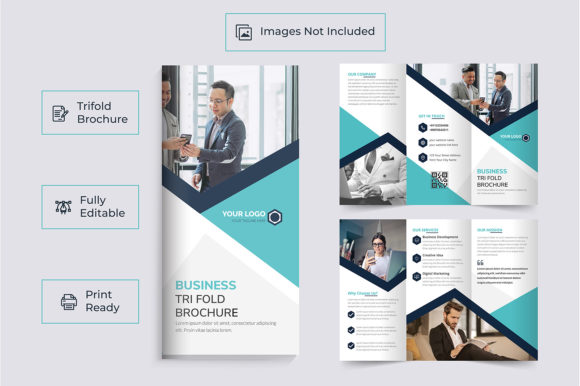
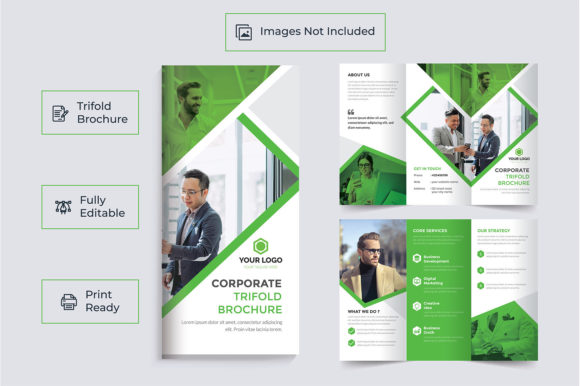
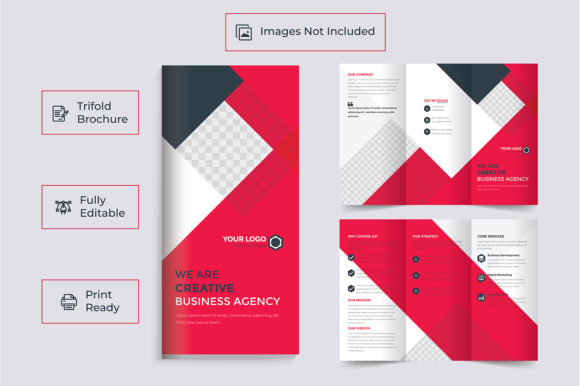
The Red Business Tri-fold Brochure Template starts with structure that works: three equal panels folding inward on standard A4 paper (or 11×8.5 inches with bleed). That means it fits seamlessly into most commercial printing workflows—and folds neatly into envelopes or display racks.
Inside, editable text layers let you swap headlines, bullet points, and contact info in seconds. Free fonts are included, so you won’t hit licensing roadblocks. And because it’s delivered as an Adobe Illustrator EPS file in CMYK mode at 300 DPI, your printed version will look crisp and color-accurate—not washed out or pixelated.
No stock photos are bundled with the file (they’re only shown for preview), which gives you full creative control. You choose images that reflect your brand’s personality—whether that’s warm lifestyle shots of your team, clean product flat-lays, or authentic behind-the-scenes moments.
Who Benefits Most From This Design
Small business owners often juggle marketing tasks alongside daily operations. If you’ve ever spent hours trying to align columns in Word or wrestled with Canva’s limited print settings, this template saves time *and* stress. It’s especially helpful if you:
- Need a physical handout for trade shows, open houses, or client meetings
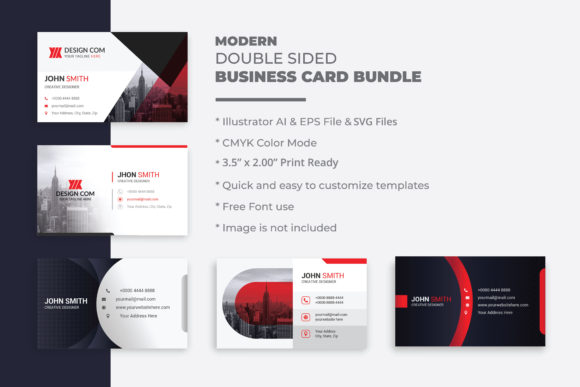
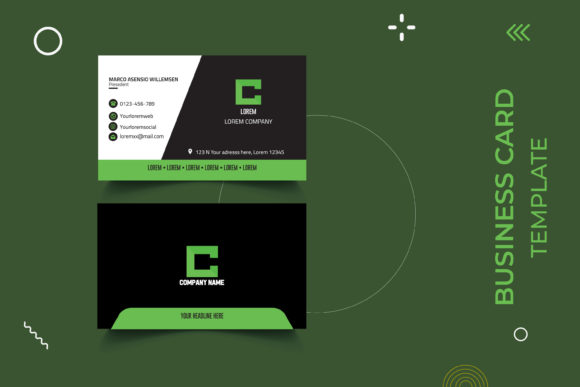
- Want consistent branding across print and digital—like matching your brochure colors to your Instagram banners or business cards
- Prefer working in professional design software but don’t have advanced skills yet
- Are hiring a designer and want a polished starting point to speed up revisions
Freelancers and educators also find value here. A graphic designer might use it as a client-ready presentation piece. A teacher could adapt it for a school fundraiser or curriculum showcase. Even hobbyists creating a portfolio for craft fairs or local markets appreciate how easily it shifts from “professional” to “approachable.”
How to Use It Without Overcomplicating Things
You don’t need to be a designer to get great results. Start by opening the Illustrator file and replacing placeholder text with your own message—keeping sentences short and scannable. Think about how people actually read tri-folds: left panel = hook, center = core offering, right panel = call to action + contact info.
For example, a yoga studio might lead with “Breathe Deeper. Move Freely.” on the front panel, explain class types and benefits inside, then end with “Book Your First Class Today” and a QR code linking to their schedule. A freelance photographer could feature one standout image per panel—portrait, lifestyle, and studio work—with minimal captions and a simple “Get in Touch” footer.
Since all fonts are free and embedded, you won’t see missing characters or formatting shifts. Just type, adjust spacing if needed, and export a PDF/X-4 for printing—or save individual panels as PNGs for social media snippets.
Important Things to Keep in Mind Before You Begin
While the Red Business Tri-fold Brochure Template is ready to customize, a few practical notes help avoid common hiccups:
- Images matter more than decoration. Choose high-resolution photos (ideally 300 DPI at print size) that support your message—not just fill space. Blurry or stretched images weaken credibility, no matter how strong the red accent looks.
- Proofread before printing. Typos are easy to miss on screen. Print a test copy or ask someone else to scan your final version aloud—it catches errors faster than silent reading.
- Know your printer’s requirements. Some print shops ask for specific bleed or margin settings. This template includes .25-inch bleed, but always double-check before sending files.
- Think beyond paper. The same layout translates well to digital uses: split panels into carousel posts, convert the cover into a LinkedIn banner, or pull quotes for email headers.
More Than Just a Brochure—Part of Your Brand Toolkit
If you like the clarity and confidence of the Red Business Tri-fold Brochure Template, chances are you’ll appreciate other tools designed with the same focus: simplicity, consistency, and real-world usability. The same creator offers matching social media banners, logos, business cards, and flyers—all built to share visual language across touchpoints.
That kind of cohesion builds recognition. When your brochure, website header, and Instagram story all speak in the same tone and palette, people remember you—not just your offer, but how it felt to engage with your brand.
And if you're exploring options for your next project—whether it's a bi-fold menu for a food truck, a trifold guide for a nonprofit workshop, or even a personal portfolio for a creative side hustle—you’ll find flexibility built into every layer of this design.
It’s not about making things flashy. It’s about making them work—for your audience, your goals, and your time.