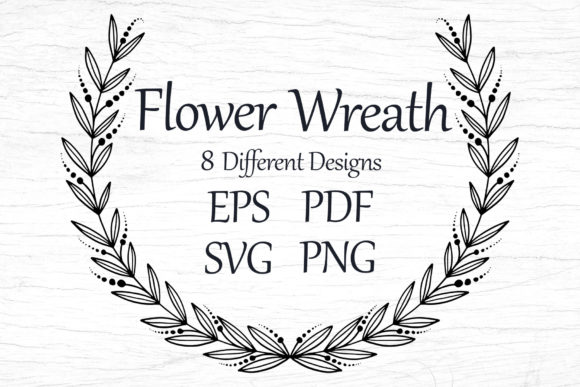
Wreaths Template with Flowers, SVG, EPS
Floral wreaths carry timeless appeal—symbolic, decorative, and deeply versatile. This Wreaths Template with Flowers, SVG, EPS collection delivers 8 distinct folk-style wreath designs, each thoughtfully crafted for real-world creative work. No generic clipart here: these are hand-drawn botanical motifs—roses, daisies, lavender sprigs, and wild blooms—arranged in balanced, organic circles that feel both traditional and fresh.
What sets this set apart isn’t just aesthetics—it’s flexibility built into every file type. You’ll receive 8 files each in SVG, EPS, PDF, PNG (transparent, 8000×8000), and JPG (8000×5000, 300 dpi). That means one purchase supports screen, print, cut, stitch, and scale—without compromise. Whether you’re sizing a motif to fit a business card or blowing it up for a 4×6 ft textile repeat, quality holds. Vector files retain crisp edges at any dimension; high-res raster files ensure rich detail for photo-based applications like mugs or greeting cards.
Why Folk-Style Wreaths Work Across Audiences
Folk-inspired florals bridge heritage and modernity. Their slightly imperfect lines, asymmetrical balance, and layered petal textures feel handmade—not algorithmic. That authenticity resonates across contexts:
- Educators use them in classroom posters, reward certificates, or seasonal worksheets—students respond to warmth and clarity, not sterile graphics.
- Small business owners apply them to product tags, packaging seals, or local-market farmer’s market banners—evoking craft, care, and regional character.
- Cricut and Silhouette users layer the SVGs directly into design space: no tracing, no resizing stress. Cut vinyl for tote bags, iron-on for kids’ tees, or paper for layered greeting cards.
- Bloggers and content creators embed PNGs into newsletters or social posts—clean transparency means no white boxes disrupting minimalist layouts.
Because each wreath is self-contained and centered, it adapts intuitively. Flip one horizontally for mirrored symmetry. Overlay two with reduced opacity for depth. Clip text inside the ring for elegant invitations—or break the circle entirely by extracting individual blossoms as standalone icons.
Practical Applications, Not Just Possibilities
Let’s ground this in action:
For Apparel & Merch
Use the SVG files to size wreaths precisely for chest prints (3.5″ wide), full-back placements (12″), or sleeve accents. The 300 dpi JPGs hold up on direct-to-garment printing; PNGs integrate cleanly into print-on-demand platforms like Printful or Teespring. Pair a wreath with handwritten script fonts for boutique branding—or center it over a solid-color pocket tee for quiet sophistication.
For Paper Goods & Stationery
PDFs open in Adobe Illustrator or Affinity Designer with editable layers—ideal for adjusting stroke weight before sending to a local printer. Use the transparent PNGs to drop wreaths onto digital invitations (Canva, Adobe Express) without background cleanup. For foil-stamped wedding suites, export EPS at exact dimensions and confirm with your printer that vector outlines meet their prep standards.
For Teaching & Learning Materials
Educators can isolate single flowers from the wreath using the vector files—then reassemble them into sorting activities, pattern recognition exercises, or seasonal science units (e.g., “Name the parts of this daisy”). Because all files are 8000×8000 or larger, projecting them onto a classroom screen retains legibility—even at 150% zoom.
For Embroidery & Craft
While these aren’t pre-digitized embroidery files, the clean vector paths translate reliably into DST or PES formats using software like Wilcom or Embrilliance. Start with the EPS version—its anchor points and Bezier curves give digitizers clear control over stitch direction and density. For hand embroidery, print the PDF at actual size and trace onto fabric using transfer paper.
How to Keep Your Projects Cohesive—and Original
Having great assets doesn’t guarantee strong results. Consistency comes from intention—not just access. Here’s how to stay focused:
- Limit color palettes early. Folk florals shine in muted earth tones (ochre, sage, slate) or soft pastels (dusty rose, buttercream, sky blue). Pick three base colors and stick to them across t-shirts, stickers, and cards.
- Respect negative space. Don’t overcrowd. A wreath centered on a mug looks stronger than one crammed into a corner with text. Let the shape breathe.
- Test before scaling. Even vector files can distort if stretched disproportionately. Always preview at final output size—especially when nesting text inside the wreath ring.
- Attribute only if required. These are licensed for commercial use—you don’t need to credit the source, but do review the license terms included in your ZIP file for permitted uses (e.g., resale in derivative templates may be restricted).
This isn’t about filling space. It’s about choosing a visual motif that carries meaning—celebration, growth, unity—and letting it serve your audience clearly. A teacher’s welcome banner, a café’s seasonal menu border, a therapist’s calming worksheet frame—each gains quiet strength from the same thoughtful foundation.
Since everything arrives in one ZIP file, there’s no hunting across folders or converting formats mid-project. What you download is production-ready: organized, labeled, and tested across common workflows. No subscriptions. No watermarks. No upsells. Just 64 high-fidelity files—designed to disappear into your process so your ideas take center stage.
Remember: this is a digital item. No physical goods ship. The lifestyle photos you see elsewhere are inspiration only—real-world examples created by others using these same files. Your version will reflect your voice, your brand, your classroom, your community. Start small. Try one wreath on a thank-you card. Then scale up—confidently.